





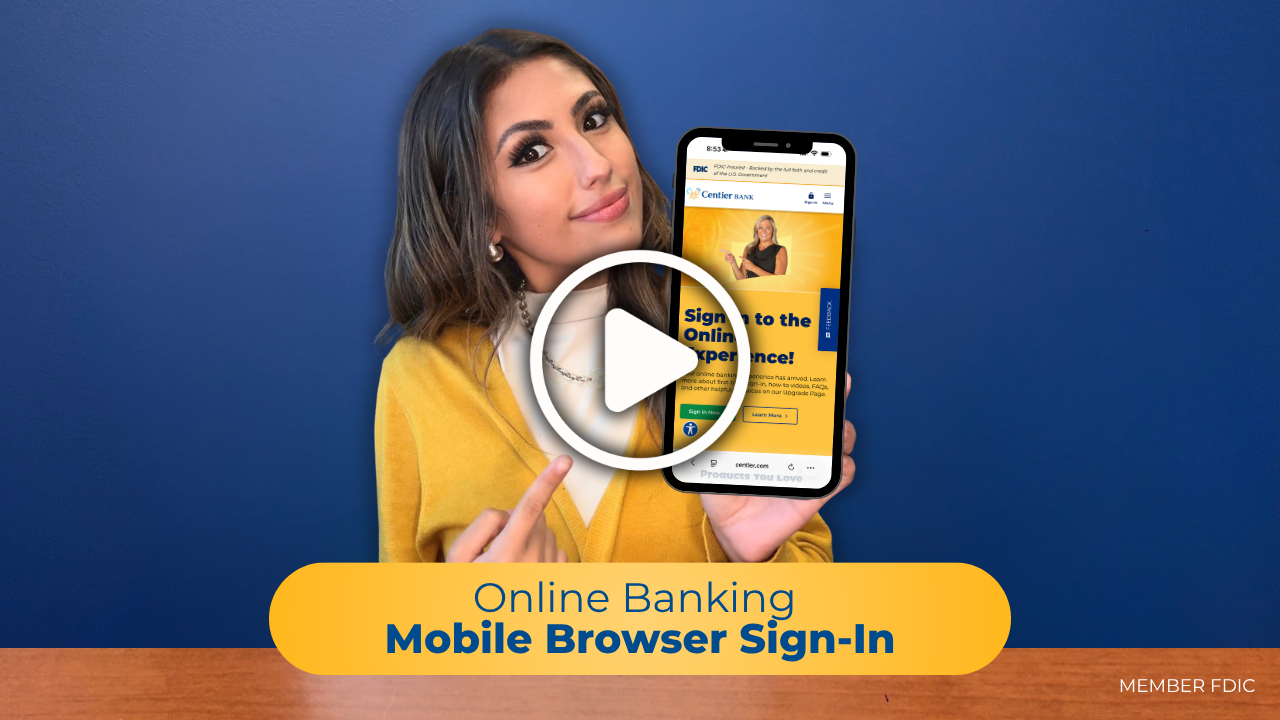
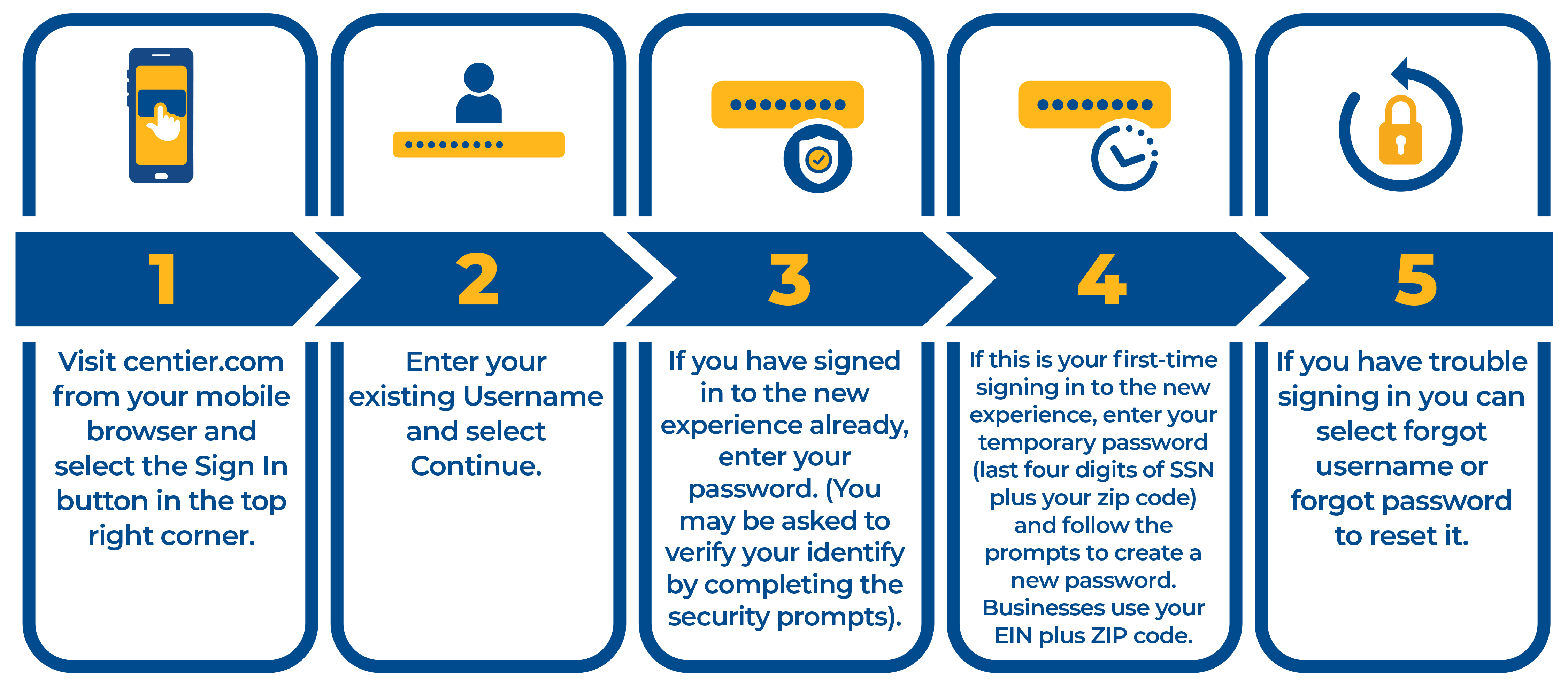
How to sign-in through your mobile browser
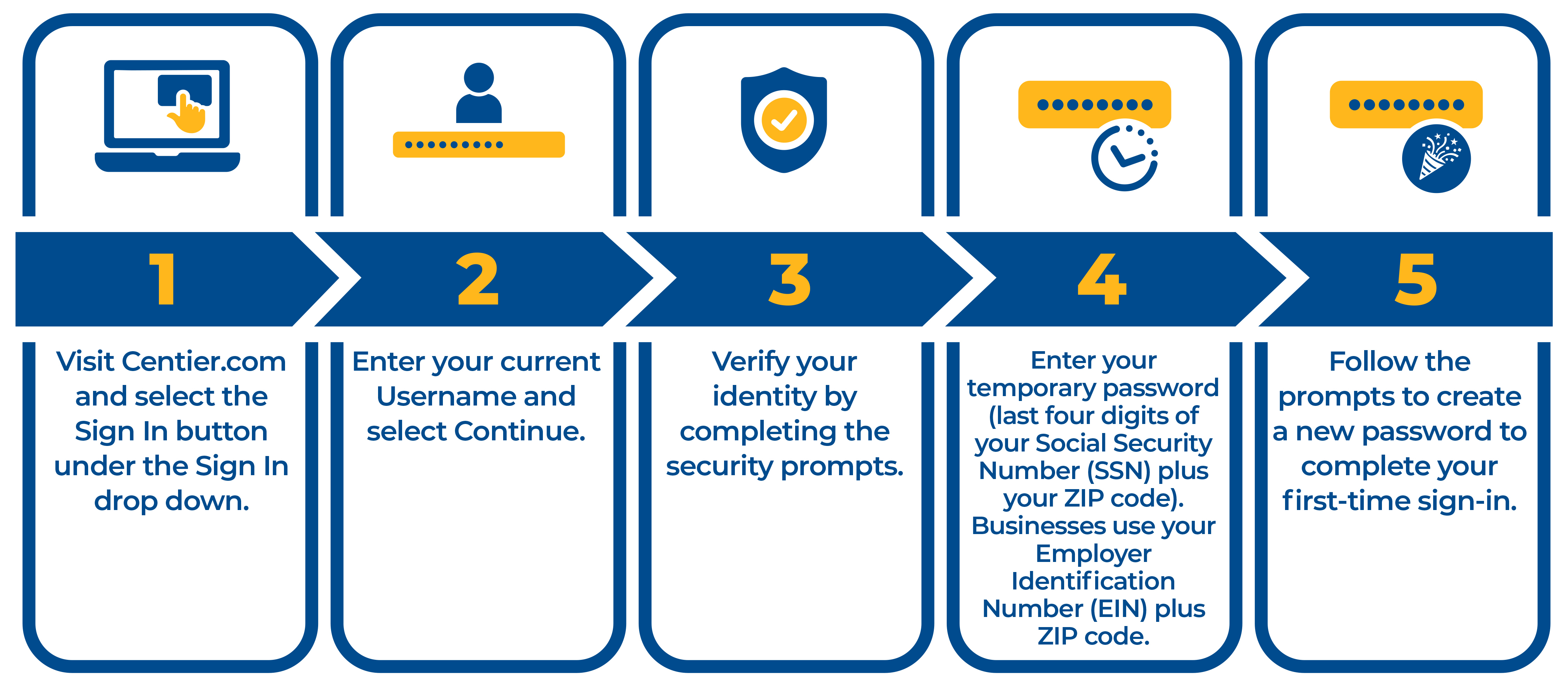
How to sign into Online Banking for the first time
How to sign into your Mobile Banking App for the first time
Common Questions
Yes. You should delete your old mobile app and download the new mobile app as of Oct. 5th, 2026. The link to download the new app can be found on our Upgrade Page.
If you have a business account, your sub users will need to be re-established after October 5th.
If you have a personal account, to better protect personal information and enhance security, access is now linked directly to the account owner. If someone else needs access to your account, we recommend adding them as a joint account owner. Our team is happy to help you explore the best option for your needs.
The eStatements portal will be unavailable beginning 6 p.m. CT on Oct. 2nd as we complete your upgrade.
If you are currently enrolled in eStatements and are not a Digital Banking user, you will need to enroll yourself in Digital Banking in order to continue to access them after the upgrade.
If you are a current Digital Banking user you will continue to access your statements through Digital Banking.
For your records please download any statements you would like to keep prior to Oct. 2nd .
P2P Move Money is no longer be available. You can now enroll in Zelle®- a fast, safe and easy way to send and receive money.
It means that the mobile number or email address is currently connected to Zelle® through another bank or credit union. You will need to disconnect or remove your Zelle® profile from their system. If you’re unsure which bank you’re enrolled with, contact Zelle® support at 844-428-8542
No. Existing person-to-person, or P2P, payees will not transfer to your Zelle® payee list. You will need to establish recipients within Zelle®.
Follow these steps:
- Log in to online or mobile banking and select Money Movement.
- Select Zelle®.
- Click on the box to show that you have reviewed the Zelle service agreement.
- Select Enroll.
- Choose the eligible account or accounts you want to use.
- Select Enroll.
- Select Get Started.
- Select the first email address or mobile number you want to enroll.
- Agree to the Terms of Use.
- Click Continue
- Enter the six-digit verification code sent to you.
- Click Continue
- Review the confirmation page and select Continue to finish.
After logging in, open the Move Money menu and select Zelle®.
You can customize a variety of alerts to help you stay informed about activity on your accounts, including:
- Account Alerts – Get notified when transfers are made between accounts.
- Balance Alerts – Receive alerts when your balance is above or below a specified amount.
- Statement & Report Alerts – Be notified when documents, such as monthly statements, are available to download.
- Maturity Alerts – Receive reminders when a Certificate of Deposit (CD) or loan is nearing maturity.
- Payment Alerts – Get notified about upcoming loan payments, bills, or recurring payments.
Online
1. Select Self Service > Alerts.
2. Choose either Account Alerts (e.g., balances & transactions) or Service Alerts (e.g., address changes, password resets, etc.).
3. Click the Edit (pencil) icon next to the alert you want to set up. Turn the alert On and choose how you would like to receive notifications.
4. Select Update to save your changes.
Mobile App
1. Click the profile icon in the top-left of your screen.
2. Click View All Notifications > Alerts.
3. Choose either Account Alerts (e.g., balances & transactions) or Service Alerts (e.g., address changes, password resets, etc.).
4. Click the Edit (pencil) icon next to the alert you want to set up. Turn the alert On and choose how you would like to receive notifications.
Online
1. Select Move Money > Transfer.
2. Select the account to transfer from and the account to transfer to.
3. Enter the amount and an optional description.
4. Choose a transfer frequency (e.g., once, bi-weekly, monthly, etc.).
5. Choose Transfer Now or select a future Transfer Date.
6. Click Continue.
7. Review the details and select Submit Transfer to complete the transfer.
Mobile App
1. Select Move Money > Transfer.
2. Enter the transfer amount.
3. Select your “from” and “to” accounts.
4. Choose a transfer frequency (e.g., once, bi-weekly, monthly, etc.).
5. If setting up a recurring transfer, choose a start date and optional end date or number of occurrences.
6. Add a memo (optional) and select Submit Transfer.
Online
1. Select Move Money > Transfer.
2. Select Manage Accounts.
3. Select the Add Accounts icon.
4. Enter your account information and select continue.
5. As part of our verification process, you'll see test deposit/withdrawal transactions in your external account within the next few business days. You must confirm the transactions to complete the process.
Mobile App
1. Select Move Money > Transfer.
2. Enter the transfer amount.
3. Select Add Bank Account.
4. Enter external account information (e.g., routing number and account number) and select Add Account.
5. As part of our verification process, you'll see test deposit/withdrawal transactions in your external account within the next few business days. You must confirm the transactions to complete the process.
Online
1. Select Move Money > Bill Pay.
2. Select Add Recipient.
3. Enter Recipient information.
4. Enter the amount you want to pay.
5. Select a date to send the payment.
6. Select the account you want to use to pay the bill.
7. Click continue.
8. Verify the payment information and click Send Payment.
Mobile App
1. Click Bill Pay on the menu bar.
2. Verify the Pay tab is selected.
3. Select the bill you want to pay.
4. Enter the amount you want to pay.
5. Click on the calendar to select a date to send the payment.
6. Select the account you want to use to pay the bill.
7. Click Continue.
8. Verify the payment information and click Send Payment.
1. Select Services
2. Under Account Management select Cards
3. Towards the bottom on your screen select Cards
4. Select the debit card you would like to add and click Manage
5. Select Wallet Integrations
6. Select the option that fits your phone type (ex. Add to Apple Wallet)
7. Follow the verification prompts asked
Common Questions
After October 5th, your new safe deposit box account number will appear on your billing notice.
Due to the Upgrade, you may receive two account statements in October. Your statement schedule will return to normal in November.
Common Questions
Yes, as part of your upgraded banking experience, we have enhanced the way you make payments from external accounts.
You can make a payment by visiting our external payments page.
Loan payments may now be mailed to Centier Bank, PO Box 10787, Merrillville, IN 46410. You can also set up an Internal Transfer within Digital Banking on October 5th.
Common Questions
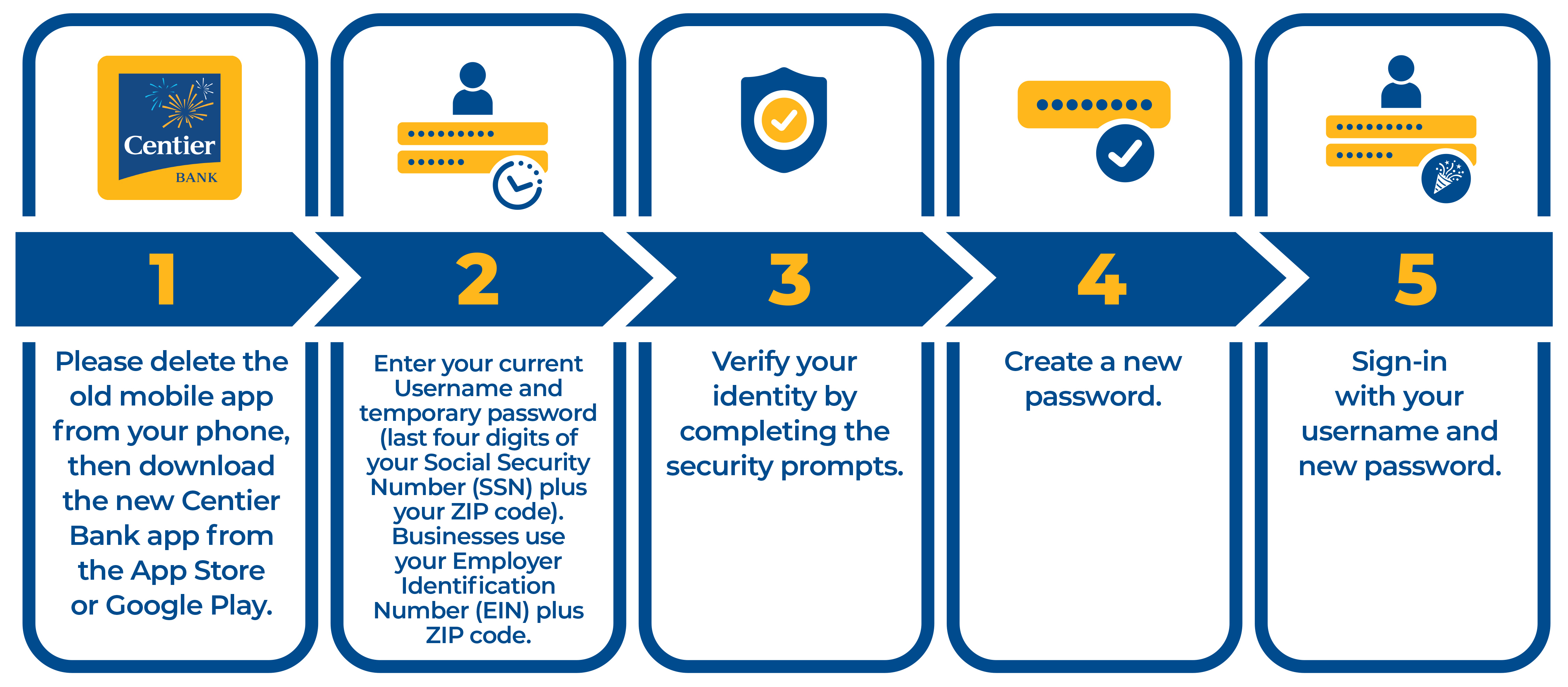
Yes. You should delete your old mobile app and download the new mobile app as of Oct. 5th, 2026. The link to download the new app can be found on our Upgrade Page.
You'll continue to use your current digital banking username, but you'll need to complete a first-time sign-in using a temporary password provided by Centier.
Please note:
- Your temporary password is the last four digits of your Social Security Number (SSN) followed by your zip code.
- If you are signing in as a business, please use your Employer Identification Number (EIN) followed by your zip code.
Watch our How To Sign In Videos for guidance on signing in for the first time.
If you have a business account, your sub users will need to be re-established after October 5th.
If you have a personal account, to better protect personal information and enhance security, access is now linked directly to the account owner. If someone else needs access to your account, we recommend adding them as a joint account owner. Our team is happy to help you explore the best option for your needs.
If you use Quicken® or QuickBooks® to manage your Centier accounts, there are a few important steps to take before and after the upgrade. Please click here for more details and instructions.
Prior to 6pm CT on Friday, October 2nd
- Back up your data file.
- Update to the latest version of software.
- Complete a final transaction file download.
- Be aware that Centier digital banking will be unavailable during the upgrade process.
Starting Tuesday, October 6th
- Deactivate the old connection to Centier digital banking.
- Reconnect to the new upgraded digital banking platform.
- If you need help reconnecting your accounts or troubleshooting Quicken or QuickBooks, please contact Quicken or QuickBooks Support directly. Their support teams can provide guidance.
Please note that Quicken® and QuickBooks® aggregation services may be interrupted for up to five additional business days. Users are encouraged to download a QFX/QBO file during this time. This additional delay will likely impact any software utilizing Express Web Connect.
Direct Connect Setup - To support this connection method, Centier needs to perform a manual setup for each client. Please contact a branch or the Client Solutions Center for assistance.
Common Questions
As part of your upgrade experience, we have added a new card protection feature that reviews your account status and evaluates how and where your card transactions are processed. If the automated review identifies potential red flags, a fraud alert is sent to you by text message.
Legitimate fraud alert text messages from Centier will come from short code 86975, begin with "FreeMsg," identify Centier Bank, and include the transaction amount and last four digits of your card. Text messages will never contain hyperlinks.
Legitimate emails will include a personalized greeting and come from a valid Centier email address.
If you are ever unsure whether a text or email is legitimate, do not click any links and call us at 1-888-CENTIER for assistance.
- Reply YES or Y to the text message if you recognize the transaction.
- Reply NO or N to the text message if you do not recognize the transaction.
If you reply NO, your card may be temporarily locked, and a fraud investigator will call the telephone number associated with your account, or you may call the fraud center at 1-888-CENTIER (1-888-236-8437)
If you do not respond within 60 minutes, an email will be sent to the email address associated with your account.
A response other than YES (Y) or NO (N) such as “maybe” is not an accepted response and will prompt a telephone call from a fraud investigator. The call helps verify that the correct person was reached and addresses the potential risk.