


Features to conveniently manage your Business!

Enroll in Zelle®
A convenient way for your business to send and receive money. Over 100 million people and businesses are enrolled with Zelle®, so you can send or receive money, even if they don’t bank at Centier Bank.1

Mobile Check Deposit
Deposit checks directly from Centier’s mobile app and view deposited check images online.

Bill Pay
Schedule bill payments conveniently, in advance, monitor activity, and receive notifications when payments are completed. -- 24/7 for FREE.^

Manage Alerts
Users can easily set activity alerts, place alerts on Bill Pay items, Zelle® alerts, and use fraud alerts to monitor account changes.

Digital Banking Support Center
Contact us easily by sending secure messages and attachments through online and mobile banking.
Sub User Access
Grant sub user access to your Online Banking account without sharing your login credentials. You determine the account permissions for your designated sub user.
Quicken® and Quickbooks®
Quicken or Quickbooks users can export financial data out of Online Banking and then import it into Quicken or Quickbooks, or use the Direct connect options.
Multi-TIN Account Access
Manage multiple business entities from one login. Perfect for businesses with more than one operating account.
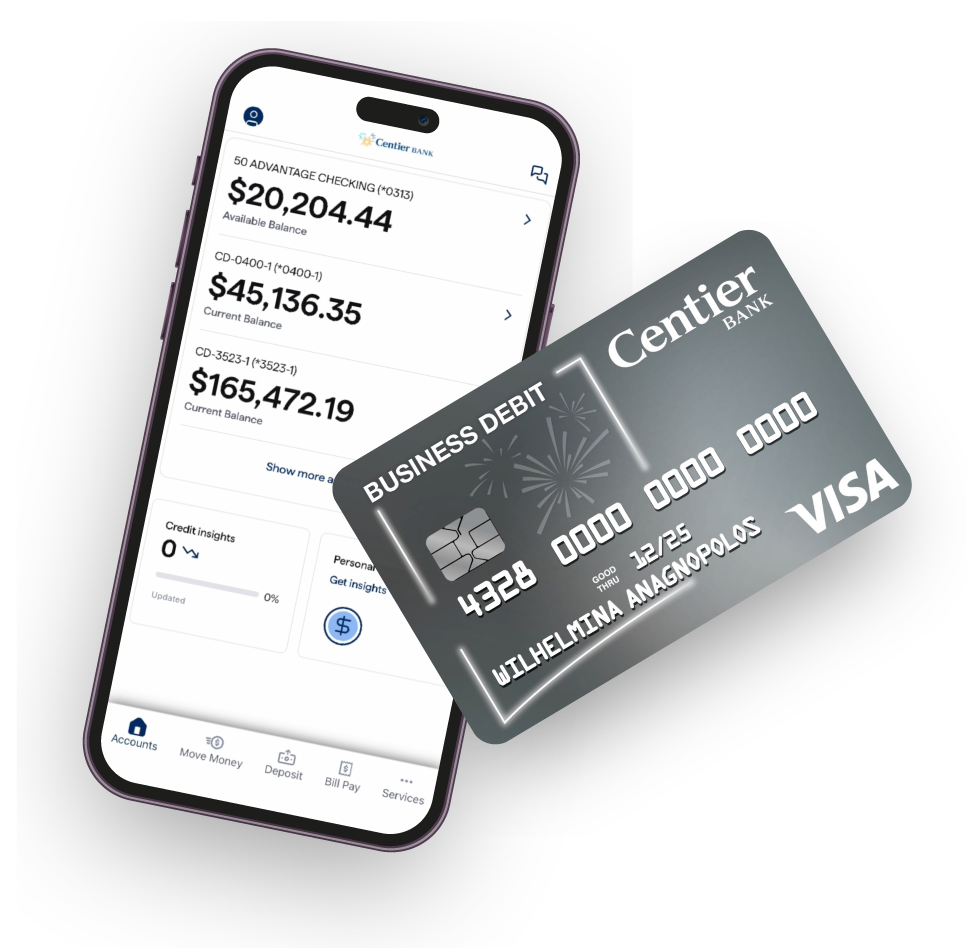
Bank mobile and take your business with you!
Mobile Banking App
The mobile banking app provides you the features and connectivity you need so you can bank 24/7.


Prefer using a Digital Wallet? No Problem!
Use your Centier Bank Visa® Debit card as part of your favorite mobile-pay/digital wallet app so you can pay directly from your phone! Click an icon to learn more.


Android™, Google Pay™, and the Android™ Logo are trademarks of Google LLC. Apple, the Apple logo, Apply Pay, iPhone® and Apple Watch® are trademarks of Apple Inc., registered in the U.S. and other countries.
Frequently Asked Questions
Once you are logged into Quicken/Quickbooks, you will need to link your Centier Accounts. Go to add Account(+), and search for Centier. Once you locate Centier Bank, you will enter your Centier Digital Banking Login credentials. Follow the prompts and the accounts you select will populate within Quicken/Quickbooks.
Yes, you can manage alerts within the mobile app or online banking.
Yes, you can increase your daily spending limit within the mobile app or online banking.
Change your debit card PIN within the mobile app or online banking.
Disclosures
1All Zelle® trademarks used herein, are the exclusive property of Early Warning Services, LLC and are used with permission. CENTIER BANK’S BANKING PRODUCTS AND SERVICES ARE NOT AUTHORIZED, ENDORSED, OR SPONSORED BY EARLY WARNING SERVICES, LLC- OWNER OF THE ZELLE® TRADEMARKS.^Bill Pay limit subject to Client’s required activity and Bank’s approval.
Click here to read our Digital Banking Terms and Conditions. Centier does not charge a fee for Mobile Banking. However, you must have a mobile phone and a wireless data plan to use this service. You may be subject to charges by your mobile carrier. Centier Mobile Banking applications support Apple®, Android®, and Amazon® mobile operating systems. Mobile Check Deposit is a feature of Centier Mobile Banking. Use of the Mobile Check Deposit feature requires a supported camera-equipped device and you must download the Centier Mobile Banking App. To use Mobile Check Deposit you must have a Centier Bank account(s) in good standing.
iPhone is a trademark of Apple Inc. App Store is a service mark of Apple Inc.
Android and Google Play are trademarks of Google Inc.